Service Suspended? How to Reactivate It at Noiz
A suspended service comes back when you pay the overdue invoice. Pay it in the console, and a card payment reactivates the service automatically. If you paid by EFT, send your proof of payment and we will allocate the payment so the service is switched on again. Your website, email and files return as they were.
Last reviewed: 11 November 2026, against the current Noiz console and the Billing and Payment Policy.
Before you start
- You are logged in to the console. How to log in to the console covers it. The console works even when your website is suspended.
- You know your invoice number, which is on the overdue email and under Billing > My Invoices.
Why was your service suspended?
The usual reason is an unpaid invoice that is past its due date and past the suspension date set in the Billing and Payment Policy. Overdue notices are sent by email, to the address on your account.
Your service can also be suspended for a breach of the Acceptable Use Policy or the Terms of Service. If the email you received names a different reason, follow the instructions in that email and open a ticket.
How do you get a suspended service back?
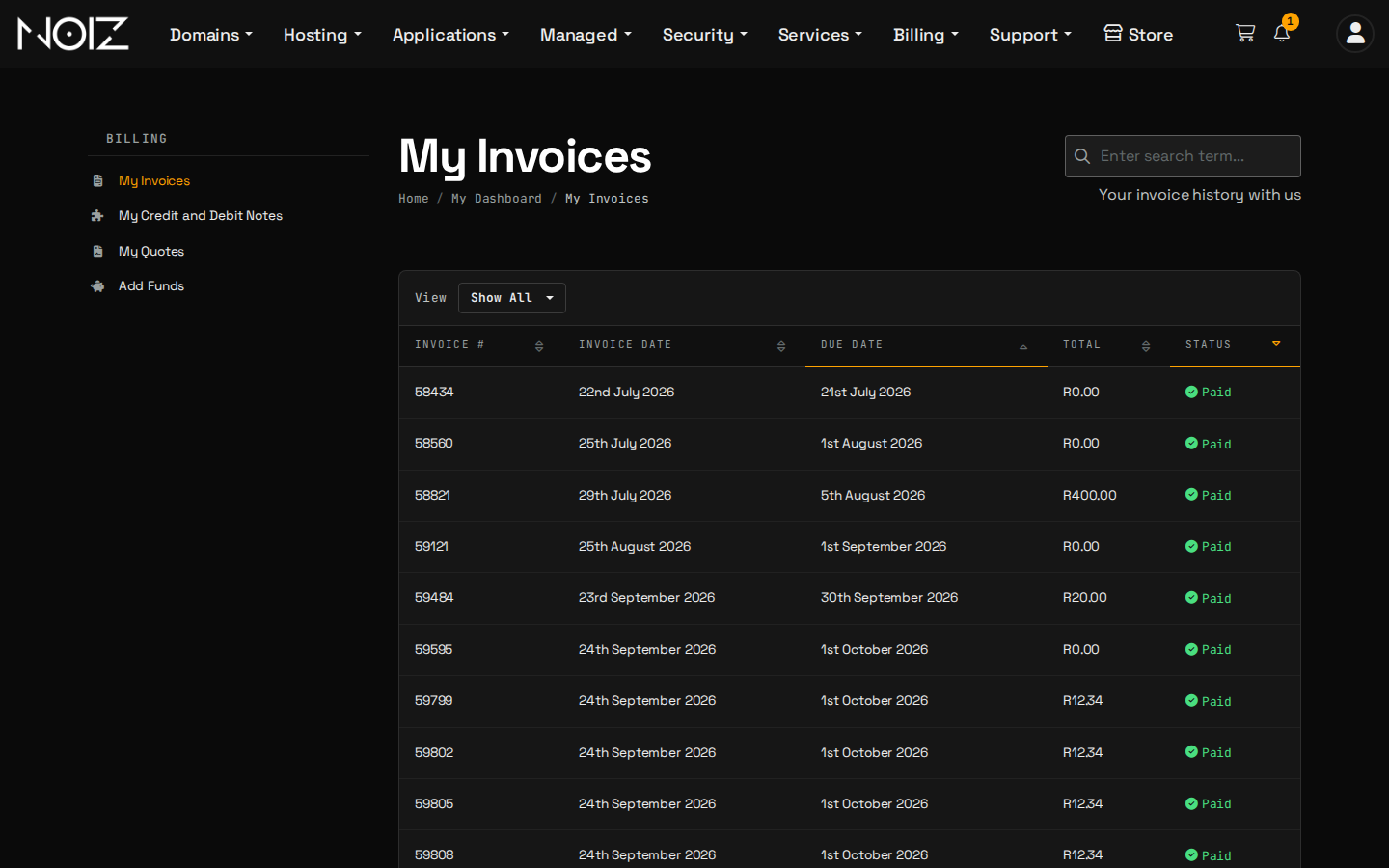
- Open the console and select Billing > My Invoices.
- Find the overdue invoice. Its status shows Unpaid.
- Open it and pay it. The payment method is shown on the invoice.
What happens next depends on how you pay:
| You paid by | What to do | When the service returns |
|---|---|---|
| Card (Stripe or Payfast) | Nothing more | Straight away, as the payment is recorded |
| EFT | Email proof of payment to [email protected] with the invoice number | Once the payment is allocated, which can take up to three working days |
| Monero | Paste the transaction ID into the invoice | Once the transaction is confirmed |
If you pay by EFT, send the proof of payment the same day, so we can allocate the payment sooner.
What if you paid and the service is still suspended?
Check these in order:
- The invoice still shows Unpaid. The payment has not been allocated. For EFT, send the proof of payment. For Monero, check the transaction ID was submitted.
- You paid a different invoice. Open My Invoices and make sure the overdue one is the one you settled.
- A card payment was declined. Try again with another card, or ask your bank why it was declined.
- Two invoices are overdue. Both must be paid.
If the invoice shows Paid and the service is still off, open a ticket with the invoice number and we will switch it on.
What should you check once it is back?
- Your website loads.
- Email sends and receives. Mail sent to you during the suspension may have been returned to the sender, so ask important contacts to resend.
- The payment method is right, so the next invoice pays itself. How to choose and change your payment method shows how.
How do you stop it happening again?
- Pay by card. The card is charged one day before each due date, and a failed charge is retried weekly.
- Add funds. Credit in your account pays new invoices automatically. How to add funds to your account shows how.
- Keep your account email current, so overdue notices reach you. How to update your account details shows how.
Good to know
A service that stays unpaid can be terminated, as the Billing and Payment Policy explains. Pay the overdue invoice before that point.
Need a hand?
Open a ticket in the console with your invoice number and, for an EFT payment, the proof of payment.