Payment Methods at Noiz: Card, EFT and Monero Compared
You can pay Noiz by card, by EFT or in Monero. Card is the one to choose if you want billing to look after itself: the card is saved and every later invoice is paid automatically, one day before it is due. EFT and Monero suit clients who prefer to pay each invoice by hand. You choose a method when you order, and you can change it later.
Last reviewed: 11 November 2026, against the current Noiz console.
Before you start
- You are logged in to the console. How to log in to the console covers it.
- You know which service or invoice you are changing. Each invoice is paid with the method set on the service it is for.
Which payment method suits you?
| Method | Renews by itself? | Best for | Allocation |
|---|---|---|---|
| Card through Payfast or Stripe | Yes, charged one day before the due date | Set it once and forget it | Immediate |
| EFT (bank transfer) | No, you pay each invoice | Clients who bank in South Africa and prefer a transfer | Up to three working days |
| Monero (XMR) | No, you pay each invoice | Private payment, with a 10% discount on qualifying hosting services | After the transaction is confirmed |
Noiz works with two card processors, Payfast and Stripe, and your invoice shows which one your account uses. A failed card charge is tried again weekly, and you receive overdue notices by email.
How do you pay with a card?
Open an unpaid invoice from Billing > My Invoices and pay it with the button shown: Pay Now for Stripe, or Subscribe Using Payfast for Payfast. The card is saved with the payment processor, and Noiz keeps a reference to it, not the card number. The step-by-step guides are How to pay your invoice by card and How to pay with Payfast for recurring payments.
How do you pay by EFT?
Open the invoice, transfer the Total Due to the account in the Total Due panel, and use the invoice number as your reference. Email your proof of payment to [email protected] with the invoice number so the payment is allocated. EFT can take up to three working days to allocate, so pay ahead of the due date, allowing for weekends and public holidays.
How do you pay in Monero?
When your invoice shows Monero (XMR), it gives the exact amount, the address and, for qualifying hosting services, the 10% discount line. Send the payment, then paste the transaction ID into the box on the invoice. Pay with Monero (XMR) and How to pay Noiz in Monero walk through it.
How do you add or replace a card?
- Select Account > Payment Methods in the console.
- Select Add New Credit Card.
- Choose Stripe (Online) as the Type and follow the form. A Payfast card cannot be added here: to replace one, email [email protected] and ask us to remove the saved card, and paying your next invoice with Subscribe Using Payfast saves the new one.
- Make the new card your default.
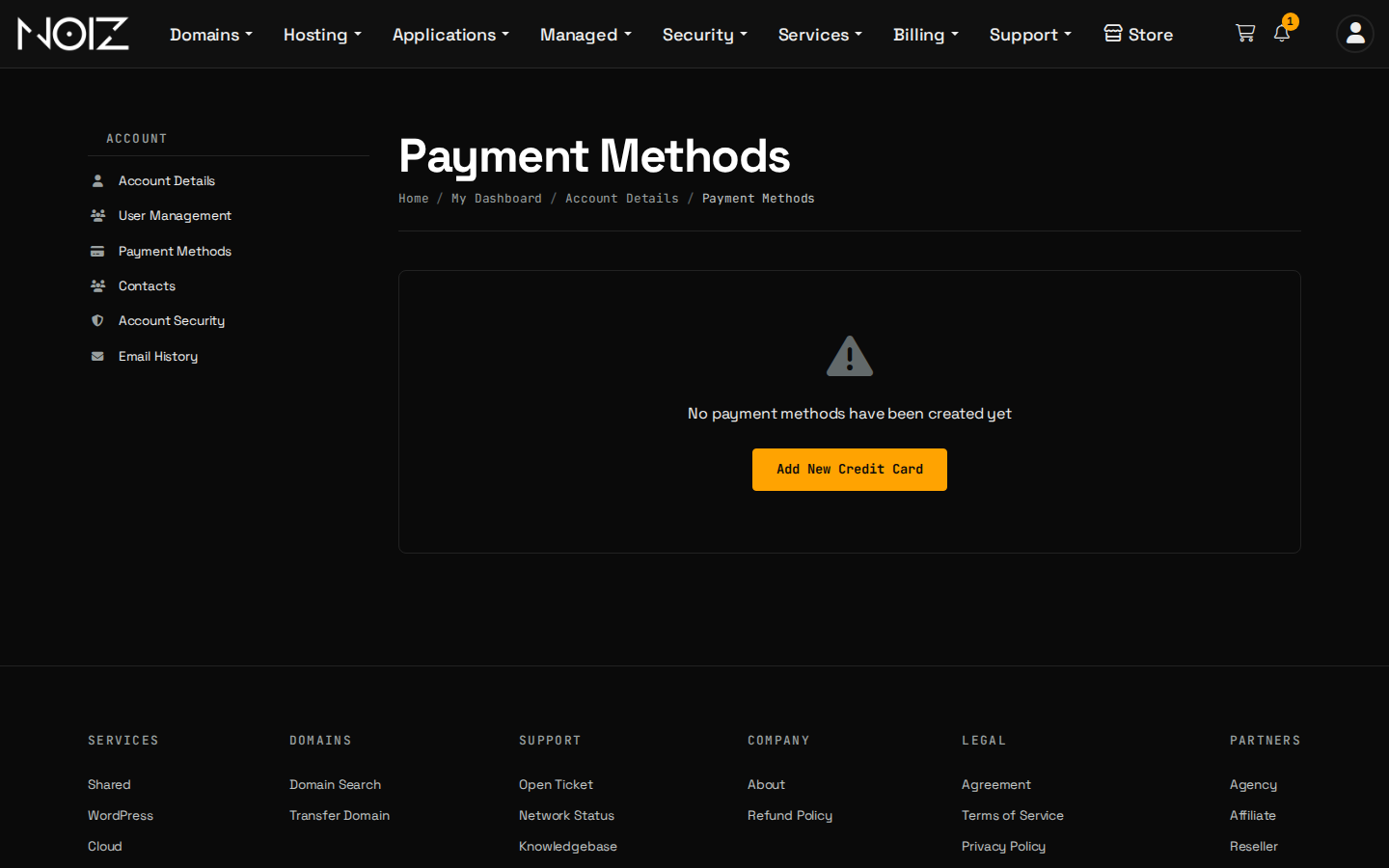
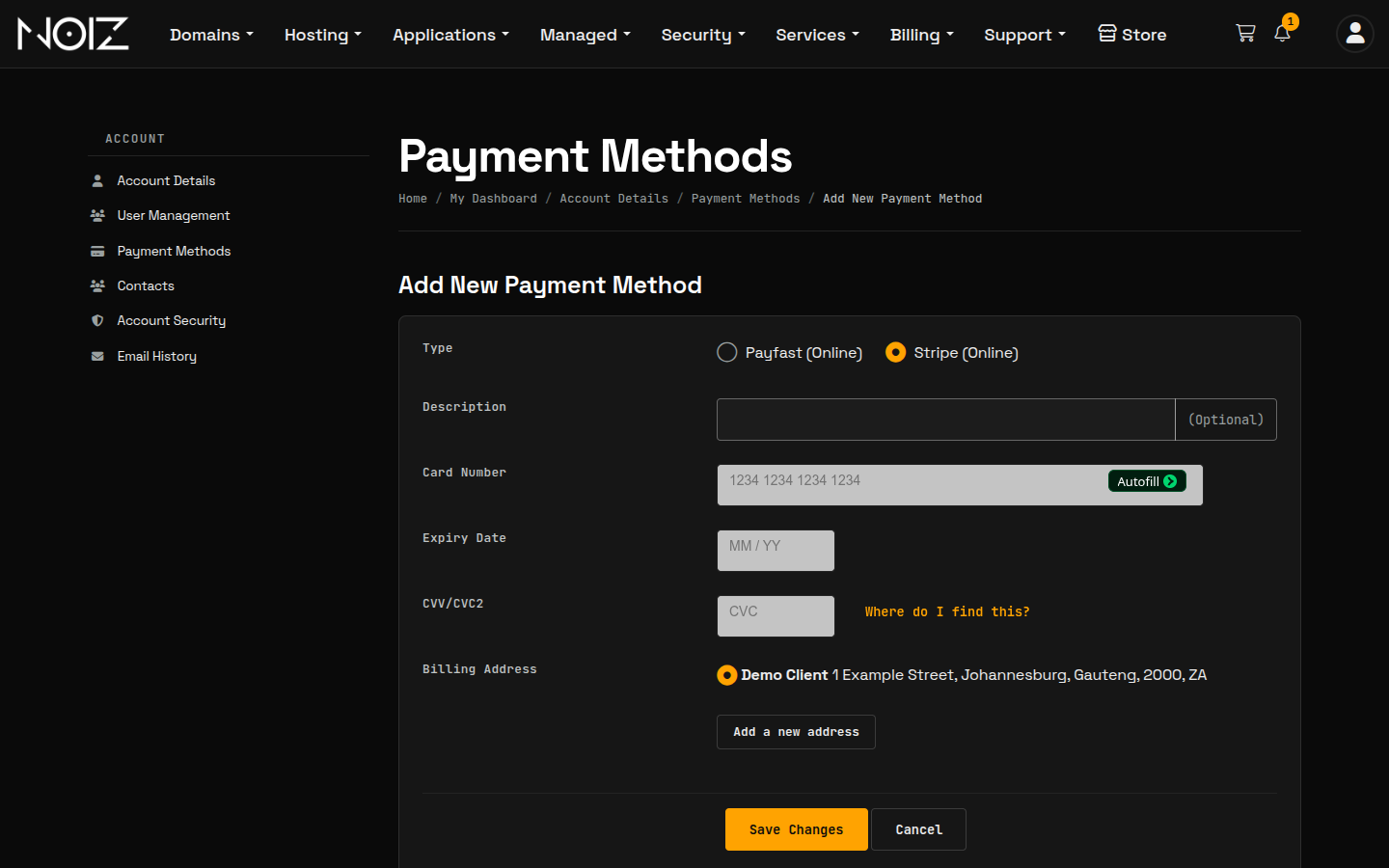
A saved card stays on your account for as long as a service is billed to it. To stop card billing, cancel the service, or ask us to move the service to EFT. The Billing and Payment Policy sets this out.
How do you switch to a different method?
Each invoice is paid with the method set on your account for that service, so there is no method choice on the invoice itself. To switch, for example from EFT to card, email [email protected] or open a ticket in the console, and we will change the method on your account. We can move an unpaid invoice at the same time. When you order something new, you choose the method at checkout.
Good to know
All payments are made in rand. The Billing and Payment Policy holds the full terms, including how card billing, EFT allocation and suspension work.
Need a hand?
Open a ticket in the console with your invoice number and the method you want.