How to Add Funds to Your Noiz Account (Credit Balance)

Adding funds puts credit on your Noiz account, and new invoices are settled from that credit automatically, so you pay once instead of many times. It suits anyone who would rather top up a balance than watch for each invoice. You add funds in the console under Billing > Add Funds.
Last reviewed: 11 November 2026, against the current Noiz console.
Before you start
- You are logged in to the console. How to log in to the console covers it.
- Your account has an active order. Add Funds opens once you have ordered a service.
- You know how much you want to add. The Add Funds page prints the minimum deposit, the maximum deposit and the maximum balance you can hold.
How do you add funds?
- Select Billing > Add Funds in the console.
- Check your credit balance at the top of the page.
- Check the Payment Method the page offers for deposits.
- Type the Amount to Add, within the minimum and maximum shown.
- Select Add Funds, and pay on the page that opens.
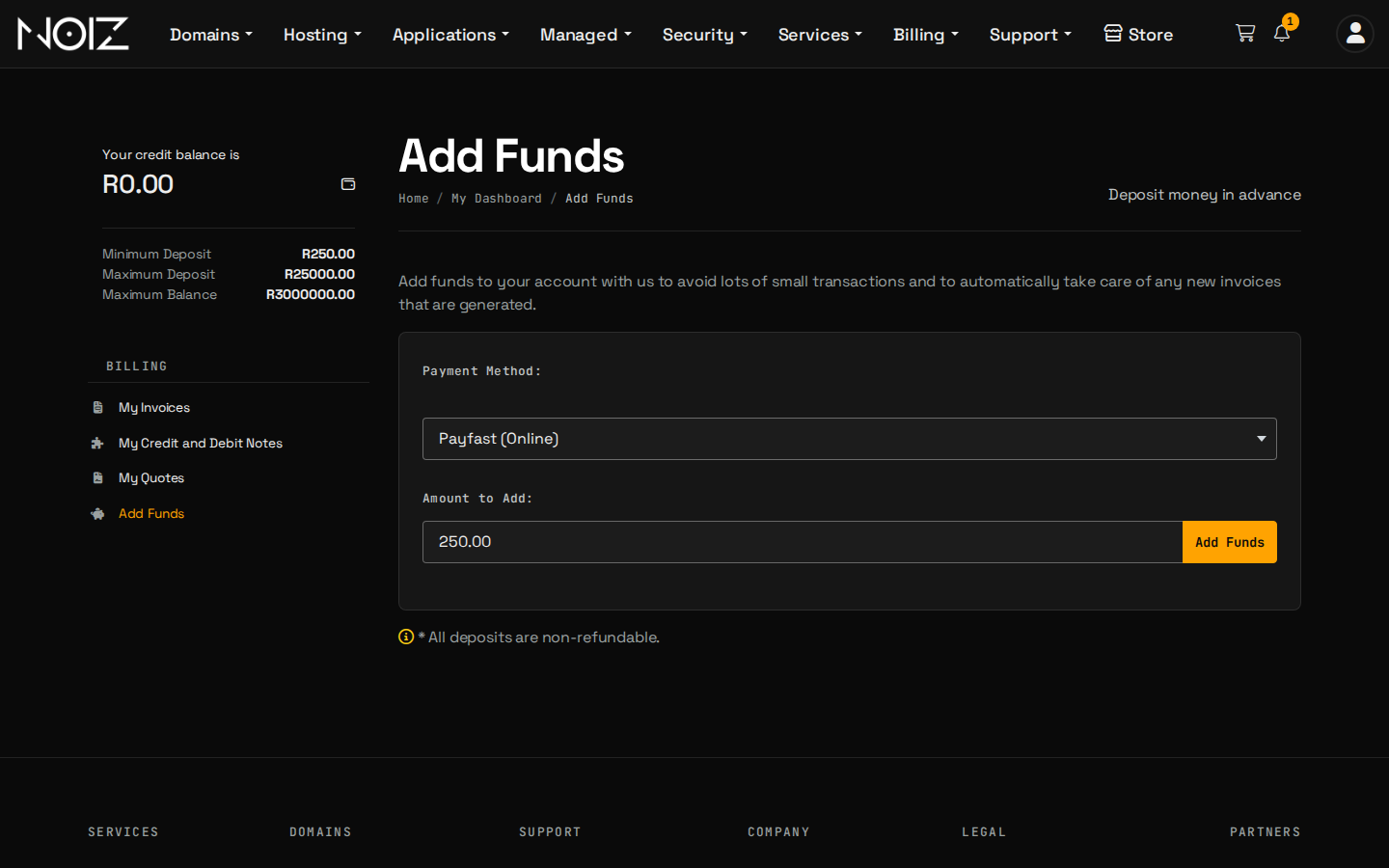
The credit appears on your account once the payment is confirmed.
What does the credit do?
Credit is applied to your new invoices automatically, so a service is paid from your balance without you opening each invoice. It saves many small payments, and it suits anyone who would rather top up once than pay each invoice.
You can see your balance on the Add Funds page, and credit notes under Billing > My Credit and Debit Notes.
What should you know before you deposit?
- Deposits are non-refundable. The page says so, and the Refund Policy and Terms of Service apply. Add what you expect to use.
- Limits apply. The page shows the minimum deposit, the maximum deposit and the maximum balance.
- A card is still the simplest way to keep a service running. Credit is used up as invoices are issued, while a saved card renews without topping up. How to choose and change your payment method compares them.
What if the credit does not appear?
- The payment is still processing. Wait a few minutes and refresh the page.
- The payment was declined. Try again with another card.
- You paid and the balance is unchanged. Open a ticket in the console with the amount, the date and your bank's confirmation. Do not pay again.
Need a hand?
Open a ticket in the console and we will check the deposit with you.