How to Update Your Account Details in the Noiz Console
You update your details in the console on the Account Details page: your name, email address, phone number, billing address and the emails you want to receive. It takes a minute, and it keeps invoices, reminders and notices reaching the right person. Your domain's registrant details are separate and are changed on each domain.
Last reviewed: 11 November 2026, against the current Noiz console.
Before you start
- You are logged in to the console. How to log in to the console covers it.
- The new details to hand.
How do you change your details?
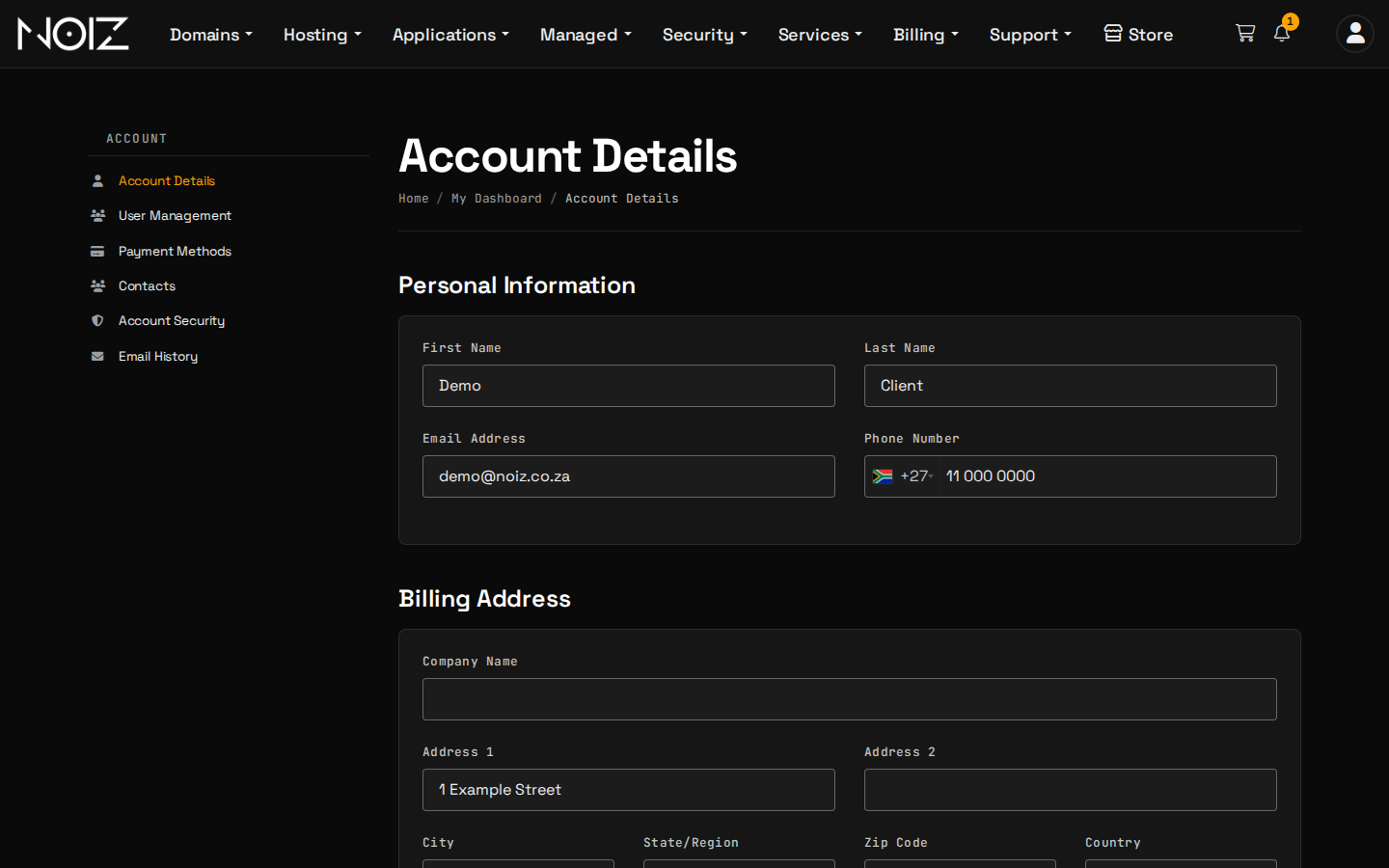
- Select Account > Account Details in the console. The Update button on your dashboard opens the same page.
- Change what you need. The page has four parts:
| Section | What you can change |
|---|---|
| Personal Information | First name, last name, email address, phone number |
| Billing Address | Company name, address lines, city, state or region, postal code, country |
| Additional Information | The Monero wallet address used for client rewards |
| Email Preferences | Which emails Noiz sends you |
- Scroll to the bottom and select Save Changes.
Check the email address twice. Invoices, overdue notices and service notices go to it. A mistyped address means a missed invoice.
Check the Monero wallet address character by character. It receives client rewards, and a payment to a wrong address cannot be recovered.
Which emails should you keep switched on?
| Preference | What it sends | Keep it on? |
|---|---|---|
| General Emails | Account-related emails | Yes |
| Invoice Emails | New invoices, reminders and overdue notices | Yes. Switching it off means you miss overdue notices |
| Support Emails | A copy of every support ticket message | Your choice |
| Product Emails | Welcome emails, suspensions and other service notices | Yes |
| Domain Emails | Registration and transfer confirmations and renewal notices | Yes. They protect your domains from lapsing |
| Affiliate Emails | Affiliate notifications | If you are an affiliate |
The mailing-list tick box at the bottom is for news and offers only, and you can unsubscribe at any time.
How do you add another person to the account?
Use Account > Contacts to add another contact, or Account > User Management to let another person log in. Give each person only the access they need. Your Noiz account and AI explains why limited access is the safe way to let someone, or something, act for you.
How do you protect the account?
Switch on two-factor authentication on the Security Settings page, opened from the account icon at the top right of the console, so a stolen password alone cannot open your account. Choose Click here to Enable and follow the steps with an authenticator app.
Do your domain details change too?
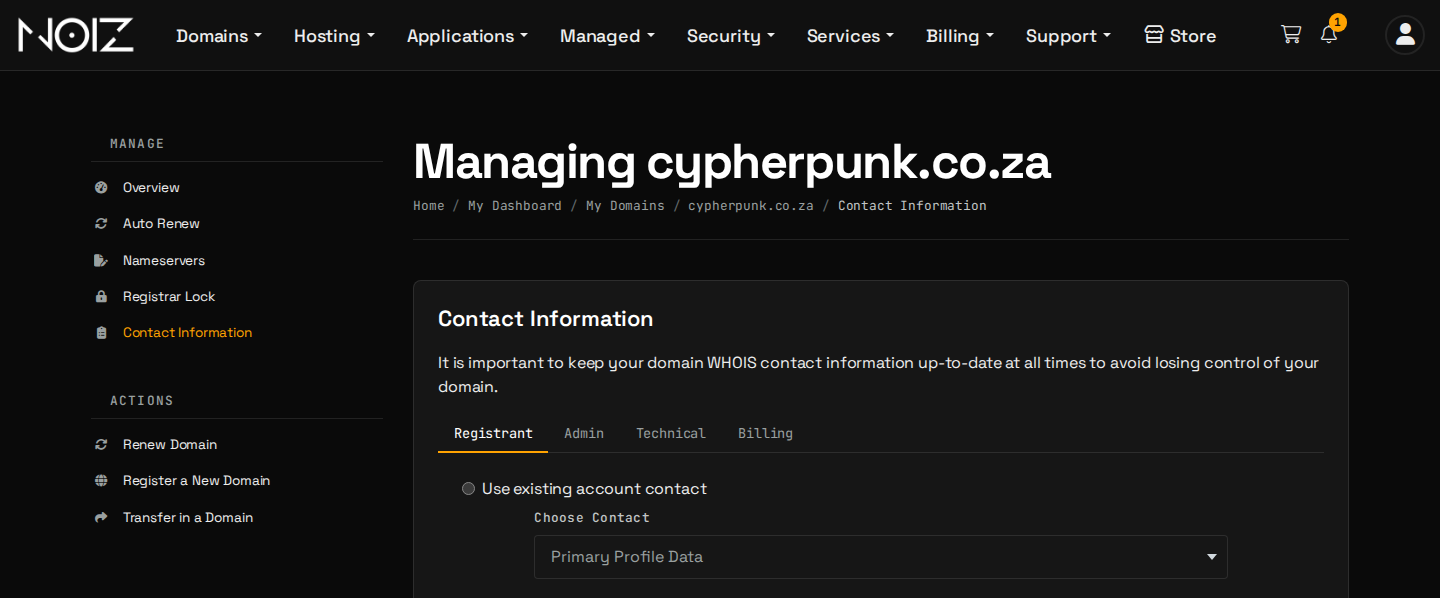
No. The account details above are for billing and notices. The registrant of each domain is changed on the domain: select Domains > My Domains, then the domain, then Contact Information. What is the Domain Guardian (registrant contact) explains why this matters.
Change the registrant with care. On a generic name such as .com, a change to the registrant name, organisation or email locks the domain against transfer for 60 days. A .za name is held for five days while the change is applied. Why a domain transfer fails explains both.
Need a hand?
Open a ticket in the console if a detail will not save, or if you need to move the account to a new owner.