How to Cancel a Hosting Service and Keep Your Domain
You cancel a Noiz service in the console, on the service's own page, with Request Cancellation. You choose whether it ends now or at the end of the billing period, and you choose whether the domain renews. If you leave that box clear, you keep the domain and drop only the hosting. A cancellation request received by the 25th of the month ends your billing at the end of that month.
Last reviewed: 11 November 2026, against the current Noiz console and the Cancellation Policy.
Before you start
- You are logged in to the console as the account that owns the service. How to log in to the console covers it.
- You have a copy of what you need. Backups are your responsibility, so download your website files, databases and mailboxes first. Moving your website to Noiz without downtime and What a weekly hosting backup can restore show what to copy.
- A new home for your domain, if you are keeping it. The domain stays registered, but its website and email stop when the hosting ends.
How do you request a cancellation?
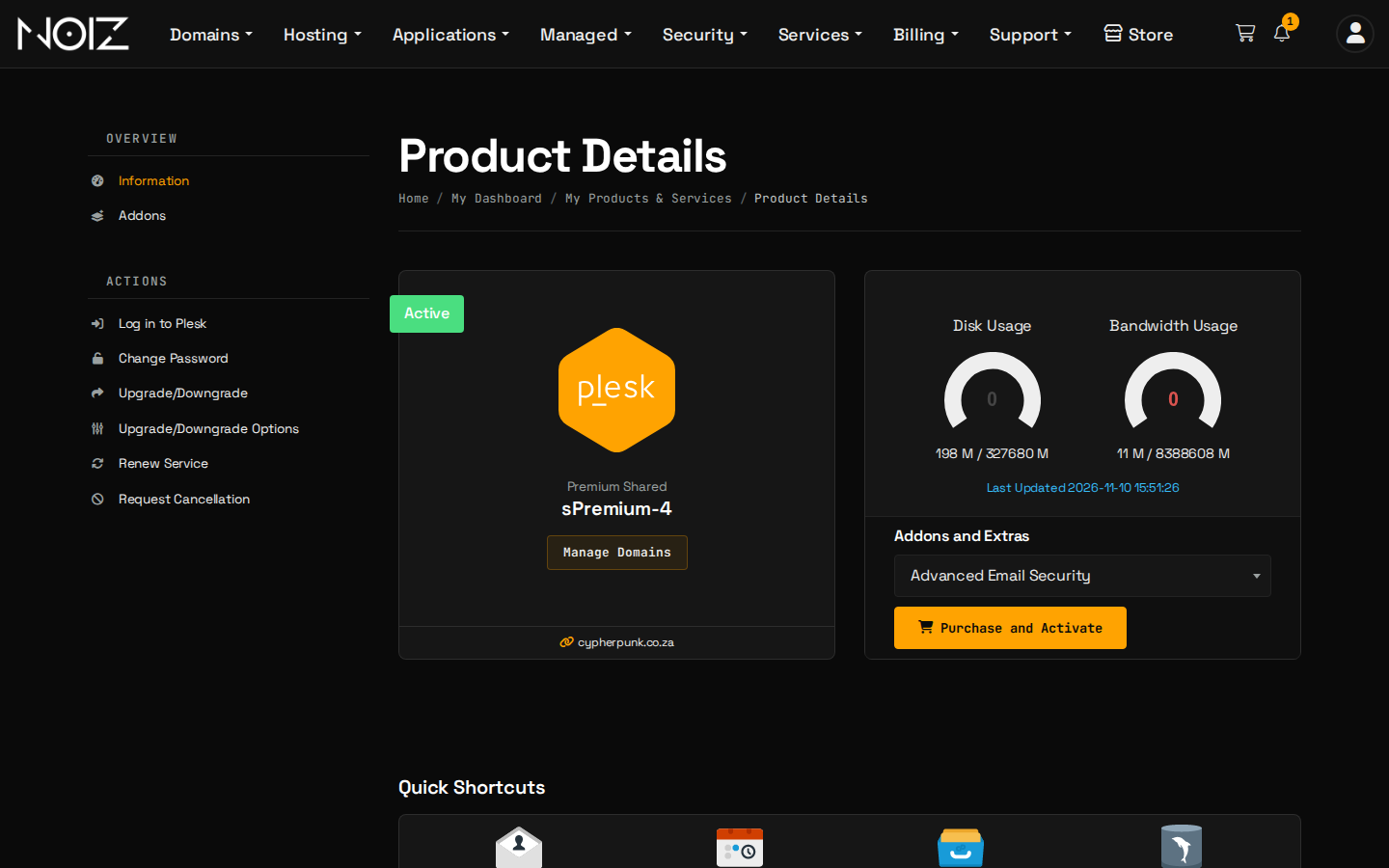
- Open the service. Select Services > My Services in the console, then the service you are cancelling.
- Select Request Cancellation in the Actions menu on the left.
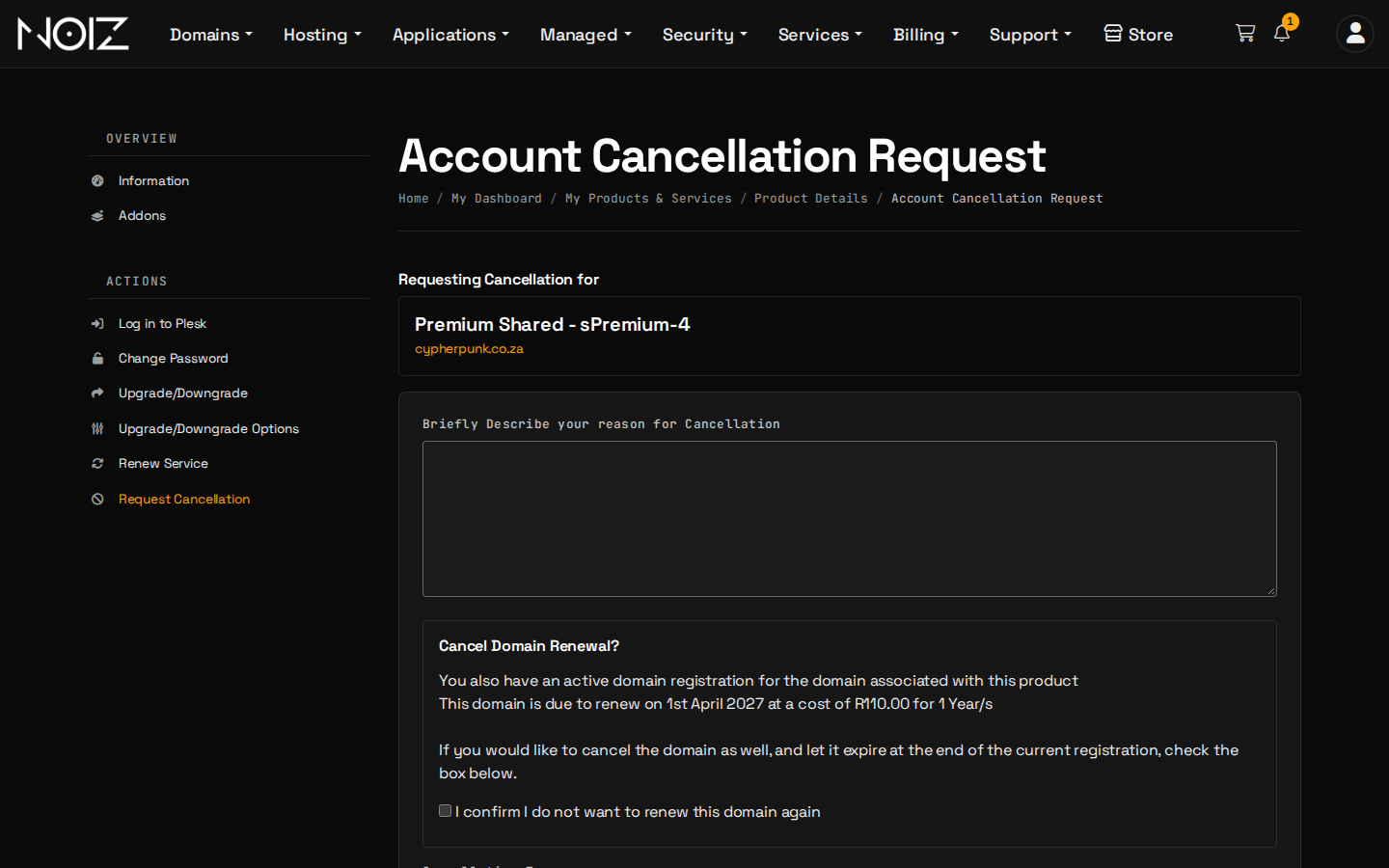
- Give a short reason. It helps us improve, and it does not change your request.
- Decide about the domain. The page shows the domain's next renewal date. - To keep the domain, leave I confirm I do not want to renew this domain again clear. - To let it expire, tick that box.
- Choose the Cancellation Type: Immediate or End of Billing Period. Immediate can switch the service off within a day, so make your copies first. Either way, what you pay follows the Cancellation Policy below.
- Select Request Cancellation. A confirmation email arrives at your account address.
When does the service end, and what do you pay for?
The Cancellation Policy decides:
| You request | Your billing ends |
|---|---|
| On or before the 25th of the month | At the end of that month, with no billing for later periods |
| After the 25th | At the end of the following month |
You settle any outstanding invoices, and prepaid fees for unused periods may be refunded pro rata under the Refund Policy, less administrative costs. Cloud servers paid by EFT are paid monthly in advance and are cancelled under the same rule, without a refund for the unused days of a month already paid.
How do you keep your domain?
Leave the domain's renewal box clear on the cancellation page, and the domain stays on your account and renews as normal. Then give it a new home:
- Point it to another service, such as Wix or Shopify. Point your domain to Wix and Point your domain to Shopify show how.
- Transfer it to another registrar. How to get your domain authorisation (EPP) code shows how.
- Stop it renewing later. How to stop a domain from renewing shows the switch.
A cancellation does not change your obligations under separate agreements, such as domain registrations or add-ons. Cancel those separately.
What about add-ons?
An add-on, such as WordPress Care, is cancelled separately from the service. Open the service and select Addons, or open a ticket that names the add-on. WordPress Care keeps a final export of your files and database available for 21 days after cancellation.
What if you change your mind?
Open a ticket in the console before the service ends and we will remove the request. If you raise a problem with a cancellation, tell us within seven days of submitting it.
Need a hand?
Open a ticket in the console with the service name and the date you want it to end.