Domain Authorisation (EPP) Code: How to Get It and Unlock
The authorisation code, also called the EPP code or auth code, is a password for one domain. A new registrar asks for it to prove the person transferring the name owns it. You get the code from the registrar that holds the domain now, after you unlock the domain. In the Noiz console it takes a minute.
Last reviewed: 11 November 2026, against the current Noiz console.
Before you start
- You are logged in to the console as the account that owns the domain. How to log in to the console covers it.
- Your registrant email works. Some registrars confirm a code request by email.
Which domains need an authorisation code?
| Extension | Needs a code? | Notes |
|---|---|---|
| .co.za | No | The registrant's email vote approves the transfer |
| .org.za, .net.za, .web.za | Yes | The code is called the domain password |
| .com, .org, .net and other generic names | Yes | The domain must also be unlocked |
How do you get the code for a domain registered with Noiz?
You are moving a name away from Noiz, or checking what you hold, so you need the code from the console.
- Log in to the console and select Domains > My Domains.
- Select the domain.
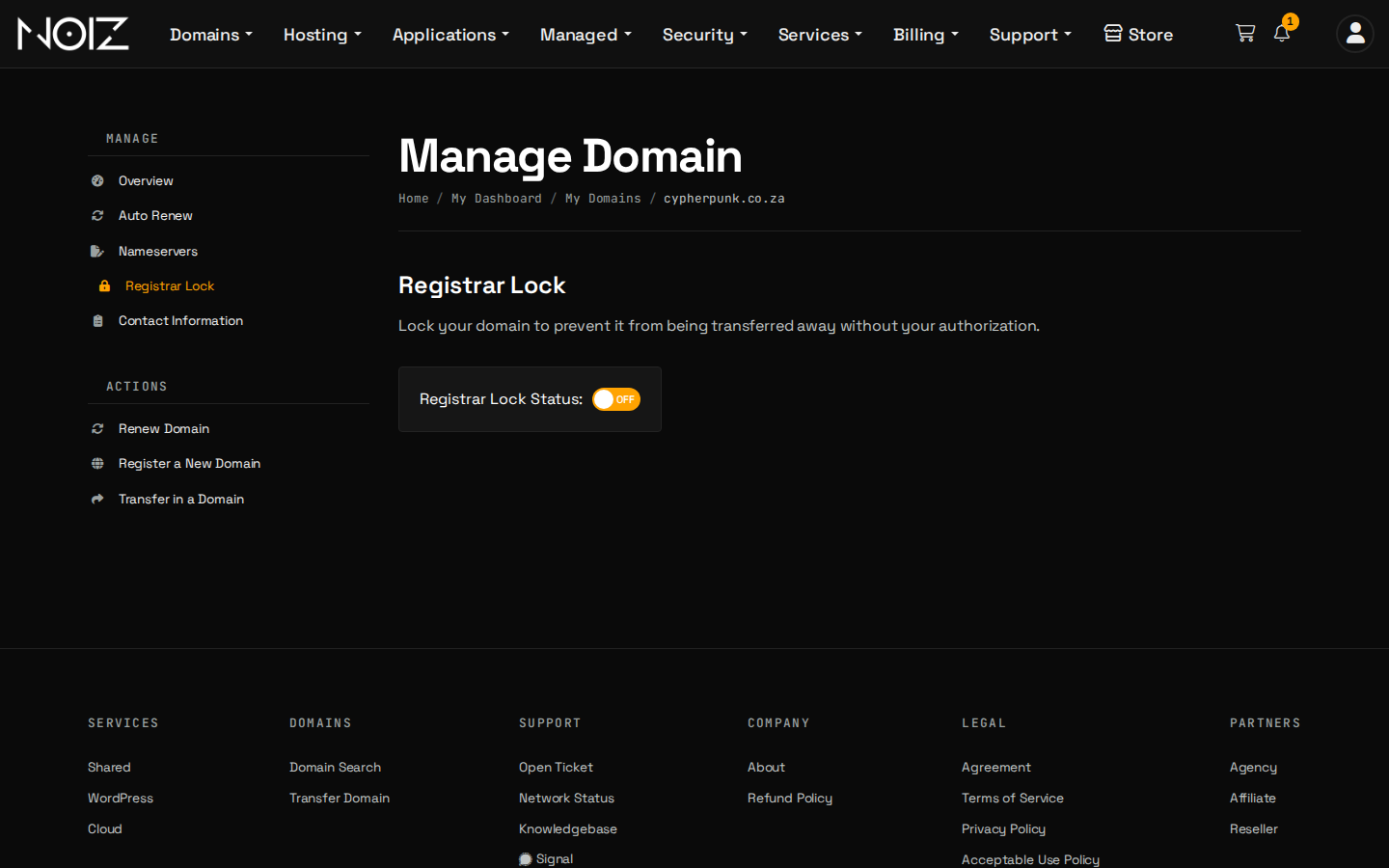
- Open the Registrar Lock tab and set the Registrar Lock Status switch to OFF. The lock stops a name being transferred without your approval, so it is the right state for a name you are not moving.
- Select Get EPP Code on the domain's page. The code is shown on screen.
- Give the code to the registrar you are moving to, and lock the domain again if the move is cancelled.
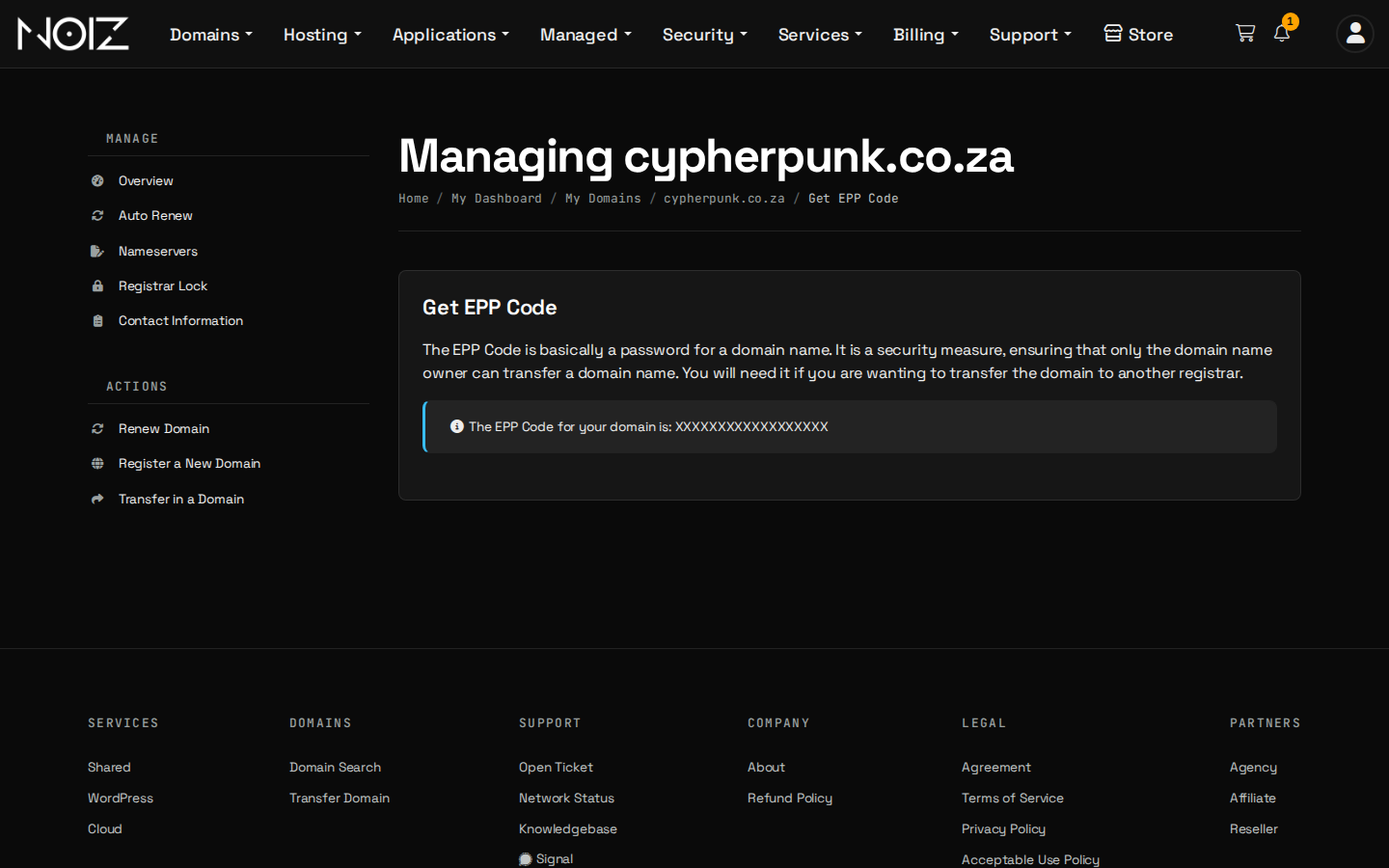
If the Get EPP Code link is not on your domain's page, open a ticket with the domain name and we will help you get the code.
Keep the code private. Anyone holding the code and a way to unlock the name can start a transfer, so share it only with the registrar you are moving to.
How do you get the code from another registrar?
You are moving a name to Noiz. Every registrar has a screen for this, usually called Transfer out, Authorisation code or EPP code, under the domain's settings.
- Log in to your current registrar and open the domain.
- Unlock it. Look for Registrar lock, Transfer lock or Domain lock.
- Request the code. It arrives on screen or by email to the registrant address.
- Paste it into the Epp Code / Auth Code box when you transfer the domain to Noiz. If no box appears for a .org.za, .net.za or .web.za name, send the domain password in a ticket once you have checked out.
Under the rules for generic names, your current registrar must give you the code and unlock the name within five calendar days of your request, unless you can do both yourself in its control panel. It cannot hold either back only because of a payment dispute.
Troubleshooting
| Symptom | Fix |
|---|---|
| The code is rejected | The domain is still locked, or a space was copied with the code. Unlock it, request a fresh code and paste it without spaces. |
| There is no code for a .co.za name | None is needed. Start the transfer and approve the registry's email. |
| The code never arrived | It went to the registrant email on record. Check the spam folder, then the registrant address in the console. |
| The transfer still fails | See why a domain transfer fails. |
Need a hand?
Open a ticket in the console with your domain name and we will help you unlock it and get the code.
Official Documentation Reference
- ICANN: Transfer Policy: what a registrar must do when you ask for the code.
- ZARC: Namespace comparison: which .za names need a password.