
Point Your Domain to Wix: Settings to Change at Noiz

You point your Noiz domain to Wix by changing two DNS records: the A record for the bare domain and the CNAME for www. Your domain stays registered with Noiz, your email keeps working where it is, and your Wix site appears at your own address. Pointing takes about ten minutes of work, then up to 48 hours for the change to reach everyone.
Last reviewed: 11 November 2026, against Wix's pointing instructions.
Before you start
- A Wix site on a premium plan. Wix needs one before it will connect a domain.
- Access to your domain's DNS. On Noiz hosting that is Plesk. How to log in to Plesk shows the link from the console. On DNS Only, without hosting, you manage the records from the domain's page in the console.
- A list of your current records. Note every record before you change anything, so you can put one back.
Should you point or use Wix's nameservers?
| Method | What it does | Choose it when |
|---|---|---|
| Pointing | Keeps your DNS at Noiz and changes two records | You have email, subdomains or other services on the domain |
| Wix nameservers | Moves all DNS to Wix | The domain has nothing else on it |
Pointing is the safe choice for a domain that carries Noiz email. Your MX records stay exactly where they are. Wix does not support DNSSEC or DNS proxies such as Cloudflare on a pointed domain, so switch those off first. Ask us to switch the Cloudflare add-on off for the domain.
How do you point your domain to Wix?
1. Get your records from Wix
- In Wix, go to Domains and select Add an Existing Domain.
- Select Connect a domain you already own, choose the site and enter your domain.
- Select connect it to your site, then go to our manual setup and Start.
- Select pointing, then Switch to Pointing Instructions.
Wix now shows the records for your site. Copy them from there. At the time of writing they are:
| Type | Host | Value |
|---|---|---|
| A | @ (the bare domain) |
185.230.63.107 |
| CNAME | www |
pointing.wixdns.net |
2. Change the records at Noiz
First check where your DNS lives. In the console, open Domains > My Domains, select the domain and open the Nameservers tab. If it shows the Noiz nameservers, you edit the records in Plesk, as below, or on DNS Only from the domain's page in the console.
- Open Plesk, then Websites & Domains, then your domain's DNS Settings.
- Change the A record for the bare domain to the Wix value.
- Remove any AAAA record for the bare domain and for
www, so visitors are not sent to your old server over IPv6. - Change the
wwwrecord to a CNAME pointing to the Wix value. - Leave every other record as it is, especially MX, SPF, DKIM and your
mailrecord. They keep your Noiz email working.
How to add and edit DNS records in Plesk shows each field. Update both the A record and the CNAME: if you only change one, visitors may see a warning that the site is not secure.
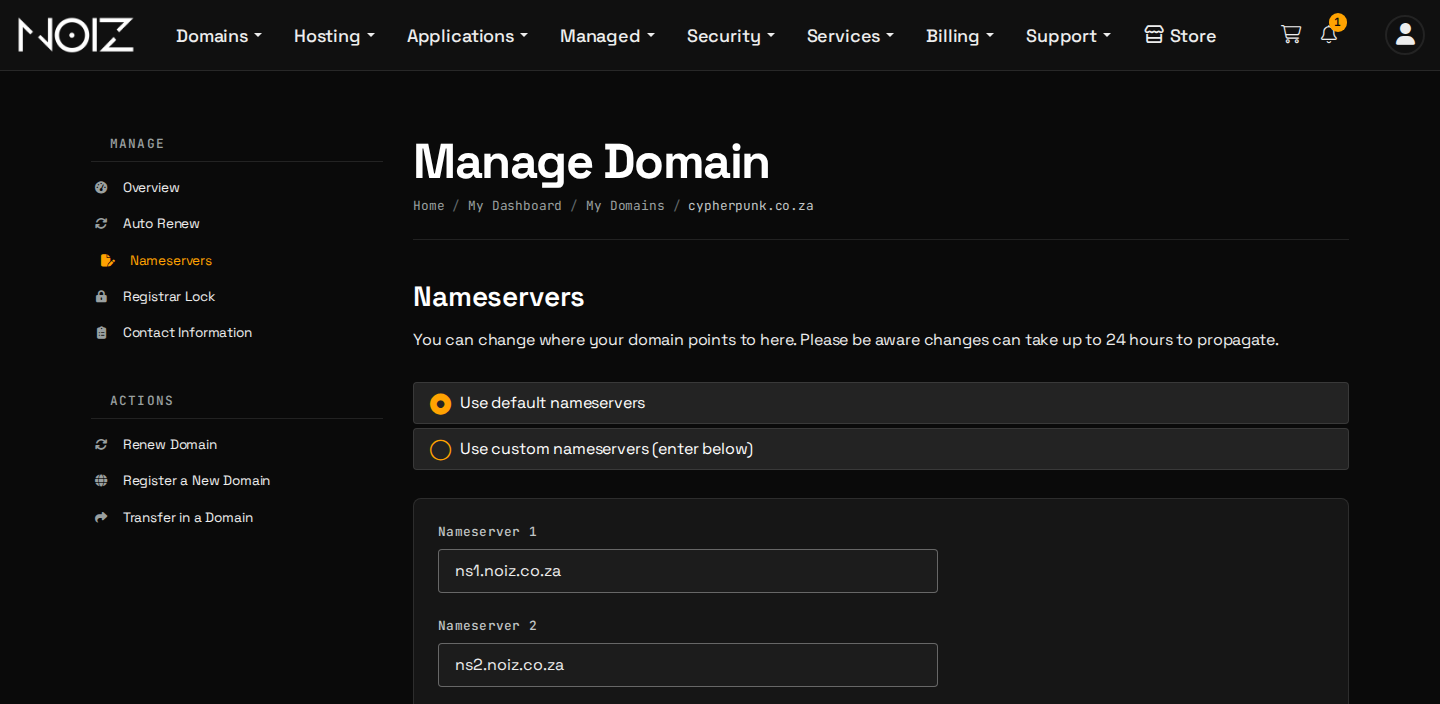
If your domain uses other nameservers, make the same change at that DNS host.
3. Finish in Wix and wait
Go back to Wix and select I updated my records. Wix checks them and connects the domain. It can take up to 48 hours to appear everywhere, and often much less.
How do you check it worked?
On macOS or Linux, run this with your domain in place of yourdomain.com:
dig yourdomain.com A +short
It should print the Wix address. Then open https://yourdomain.com and https://www.yourdomain.com in a private window. Both should show your Wix site.
Troubleshooting
| Symptom | Fix |
|---|---|
| You still see your old site | The old answer is cached. Wait, or check from your phone on mobile data |
| The browser says "not secure" | Both the A record and the CNAME must point to Wix. Check each |
www.www appears in the address bar |
One of the two records is wrong or has not spread. Check both, then clear your browser cache |
| Wix says it cannot connect | Check the bare domain has one A record, with Wix's value, and the www CNAME is in place |
| Cloudflare is in front of the domain | Wix does not support it on a pointed domain. Ask us to switch the add-on off |
| Your email stopped | You changed an MX record. Put it back from the list you saved |
Need a hand?
Open a ticket in the console with the domain and the records Wix shows, and we will check them with you. Wix runs your website, so for a problem inside Wix, use Wix's help centre.
Official Documentation Reference
- Wix: Connecting a domain to Wix using the pointing method: the current records and steps.
- Wix: Pointing vs name servers: which method to choose.