How to Transfer a Domain to Noiz: .co.za and .com
You transfer a domain to Noiz by adding it on the Transfer a domain page, giving the authorisation code if the extension uses one, paying the invoice and approving the move. A transfer does not change where the name points, so your website and email keep running while it happens. Transferring a .co.za, .org.za, .net.za or .web.za name is free.
Last reviewed: 11 November 2026, against the current Noiz console and the registry rules for .za and generic names.
Before you start
- The registrant email is one you read. The registry and the current registrar send their approval messages there. What is the Domain Guardian (registrant contact) shows how to check it.
- The name is not brand new and not about to lapse. A new .za registration cannot move during its first seven days, and a generic name cannot move within 60 days of being registered or last transferred.
- A copy of your DNS records, if your current provider runs your DNS. The domain transfer checklist lists what to copy.
What does each extension need?
| Extension | What you need | Who approves |
|---|---|---|
| .co.za | Nothing but the registrant's email | You, by email vote, and the move is immediate |
| .org.za, .net.za, .web.za | The domain password (authorisation code) from your current registrar | You, by email vote |
| .com, .org, .net and other generic names | The authorisation code, with the domain unlocked | Your current registrar, who has five days to respond |
1. Check who the registrant is
Look up the domain with ICANN Lookup or ask your current provider for the record. The registrant should be your business, with an email address you read. If it is not, fix that first: a change to the registrant on a generic name starts a 60-day transfer lock, so transfer first and change the registrant afterwards where you can.
2. Unlock the domain and get the authorisation code
Generic names, .org.za, .net.za and .web.za need an authorisation code, often called an EPP code or auth code. Ask your current registrar to unlock the domain and give you the code. A .co.za name needs neither. How to get your domain authorisation (EPP) code walks through it.
3. Add the domain on the Transfer a domain page
- Open Transfer a domain.
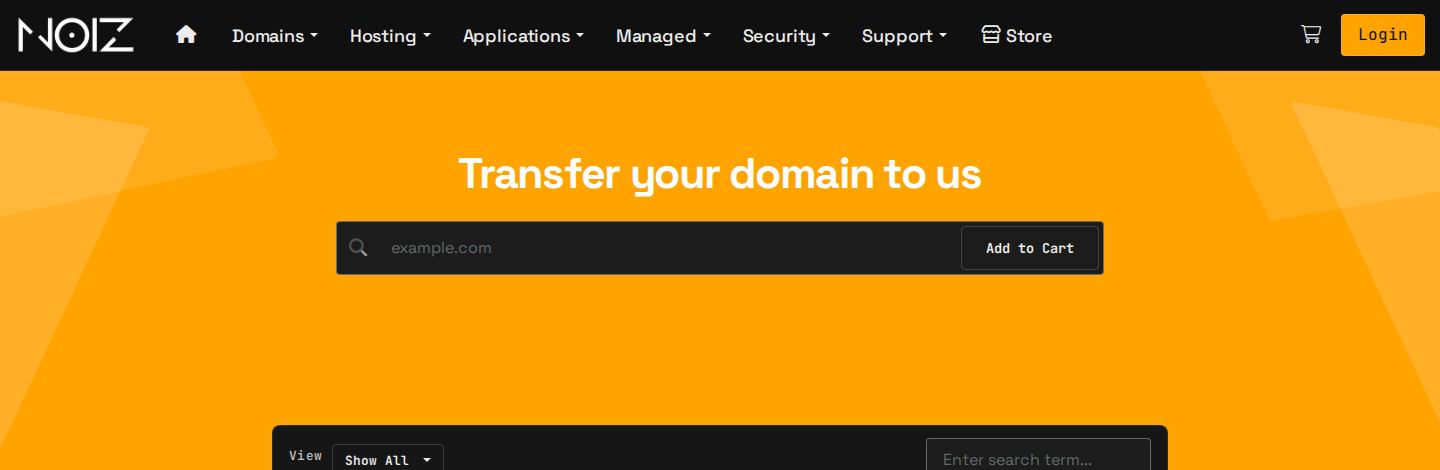
- Type the domain in the box and select Add to Cart.
- When the Epp Code / Auth Code box appears, paste the code. A .co.za name needs no code. If no box appears for a .org.za, .net.za or .web.za name, send the domain password in a ticket once you have checked out.
- Check out. The Transfer column of the price table shows what each extension costs before you add it.
- Pay the invoice in the console. Your transfer starts once it is paid.
4. Approve the transfer
.za names: the registry emails the registrant with a vote. Approve it and the name moves at once, whatever your current registrar does. If neither you nor your current registrar votes, the transfer is rejected after five days, so watch that inbox and check the spam folder.
Generic names: your current registrar has five days to respond, and the transfer completes when it approves or the five days pass without an objection. If your current registrar emails you to confirm, approve it.
5. Check everything once the name has arrived
Open Domains > My Domains in the console and check four things:
- Contacts. The registrant details are yours. Domain contact information is on the domain's Contact Information tab.
- Nameservers. They are the ones you expect, usually about a day after the transfer completes.
- Website and email. Both load, send and receive.
- Renewal. Automatic renewal is on, so the name never lapses by accident. How to stop a domain from renewing shows the switch.
Generic names gain a year when they transfer. A .za name keeps its expiry date.
Moving your DNS or hosting to Noiz as well? Do that as a second step, once the name has arrived. How DNS works explains why the two moves stay separate.
Troubleshooting
| Symptom | Fix |
|---|---|
| The code is rejected | The domain is still locked, or the code was copied with a space. Ask your current registrar to unlock it and send the code again. |
| The .za vote never arrived | It went to the registrant email on record. Check the spam folder, or ask your current provider which address the registry holds. |
| The transfer was rejected | See why a domain transfer fails. |
| The name is within 60 days of registration | Wait for the 60 days to pass. A .za name only waits seven days. |
Good to know
Domain transfers follow the registry and ICANN rules and the Specific Terms. Domain registrations are outside the Refund Policy, so check the name and the registrant details before you pay.
Need a hand?
Open a ticket in the console with the domain name and we will check the transfer with you.
Official Documentation Reference
- ZARC: Registrant voting procedure: how the .za email vote works.
- ZARC: Namespace comparison: which .za names need a domain password.
- ICANN: Transfer Policy: the rules for generic names.