This guide shows you how to update the contact email address on your Plesk account. This is the address Plesk uses to identify your account and to send you service notifications. You can update both the primary email address and the external email address that is used for password recovery.
If you instead need to change your name, company, telephone number or postal address, see How to Change the Plesk Account's Contact Details.
Last reviewed: 27 July 2026, against Plesk Obsidian 18.0 (latest stable line). This guide is written for Noiz hosting and is kept current against Plesk. It complements, and does not replace, the official Plesk documentation linked below.
Official Documentation Reference
- Plesk Obsidian Customer Guide: account management and personal settings.
Before You Start
- You need to be able to log in to Plesk. If you cannot sign in, reset your password from the Plesk login page or contact Noiz support.
- Know the difference between the two fields you can change here:
- Email address: the primary contact address on the account. Plesk sends service and account notifications to this address.
- External email address: a separate address used for password reset links. Keep this on a different mail provider from your Noiz-hosted mailboxes so that you can still recover access if your hosted mail is unavailable.
Update Your Plesk Contact Email Address
- Log in to your Plesk account.
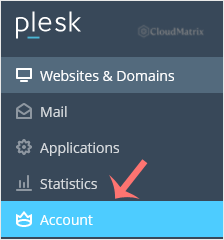
- Click Account in the sidebar menu.
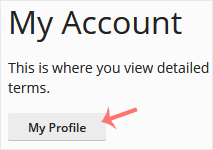
- Click My Profile.
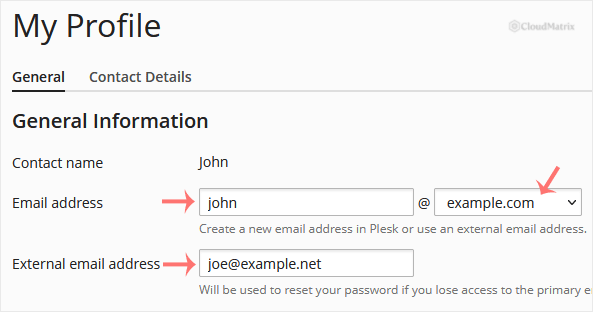
- Enter the new address in the Email address field. If you have more than one domain, choose the appropriate domain from the drop-down menu. You can also update the External email address used for password resets.
- Click Apply.

Plesk displays a confirmation message once your contact email address has been updated.
Good to Know
- Changing your Plesk contact email address does not create or rename a mailbox. It only updates the address linked to your panel account. To create an actual email account, use the Mail section of Plesk.
- If you rely on the external email address for password recovery, double-check that it is an address you can still access. Losing access to both the primary and external addresses makes self-service password resets much harder.
If the change will not save, or you no longer have access to the current contact address, the Noiz support team can update it for you. Open a ticket from your Noiz client area and Noiz will make the change on your behalf.






