Your Plesk account holds the contact details Plesk uses to identify you and to send you account notifications, such as certificate expiry warnings and administrative alerts. This guide shows you how to view and update those details (your name, email address, phone number, and address) from inside the Plesk control panel on your Noiz hosting.
Last reviewed: 27 July 2026, against Plesk Obsidian (latest stable). This guide is written for Noiz hosting and is kept current against Plesk. It complements, and does not replace, the official Plesk documentation linked below.
Official Documentation Reference
Before you start
- You need your Plesk login details for your Noiz hosting account.
- The contact details you set here apply to your Plesk panel only. They are separate from the billing contact details Noiz holds for you in the client area, which you update from your client-area profile. Changing one does not change the other.
Change your Plesk contact details
1. Log in to your Plesk account.
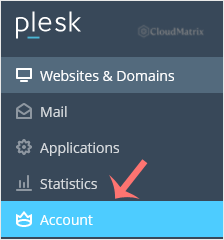
2. Click Account in the sidebar menu.
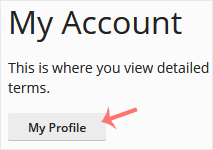
3. Click My Profile.
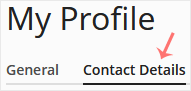
4. Click the Contact Details tab.
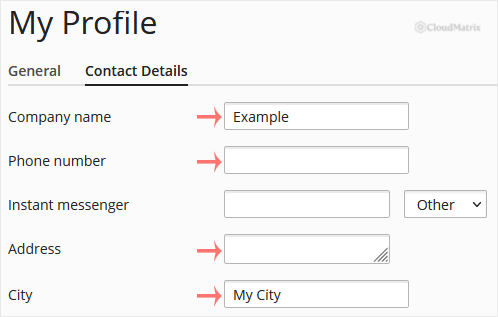
5. Update the details as needed. The email address you enter here is where Plesk sends account notifications, so keep it current and make sure you can receive mail at it.
6. Click Apply.
Plesk shows a success message confirming that your contact details have been updated.
Need a hand?
If you cannot reach your Plesk panel or the change does not save, contact the Noiz support team through the client area and they will help you sort it out.






