Plesk webmail lets you read and send email straight from a web browser, with nothing to install and no mail client to configure. It is the quickest way to check a Noiz mailbox from any computer or phone. This guide shows you how to reach the webmail login page for your domain and what to check if it does not open.
Last reviewed: 27 July 2026, against Plesk Obsidian (latest stable). This guide is written for Noiz hosting and is kept current against Plesk. It complements, and does not replace, the official Plesk documentation linked below.
Official Documentation Reference
- Plesk Obsidian Customer Guide (mail management and webmail)
Prerequisites
- An email account already created on your Noiz hosting, for example
[email protected](replace with your real address). - The password for that email account.
- Your domain resolving to Noiz, which is already the case for domains hosted with Noiz.
Log In to Plesk Webmail
- Open your browser and go to
https://webmail.yourdomain.com, replacingyourdomain.comwith your own domain name. - In the Login (username) field, enter your full email address, for example
[email protected]. Do not enter only the part before the @ sign. - Enter your email password. Passwords are case sensitive.
- Click Login.
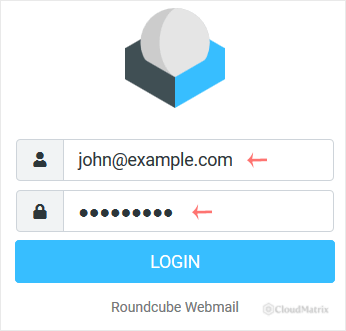
After you sign in, you can read, reply to, forward, compose, and organise your email, and set up a signature or an auto-reply from within webmail.
Other Ways to Open Webmail
If the address above does not work, either of these will take you to the same login page:
- Via the domain: open
https://yourdomain.com/webmailinstead of thewebmail.subdomain. - From the Plesk control panel: log in to Plesk, go to Mail, and select the email address you want. Plesk provides a webmail link for each mailbox, which is the most reliable route while a domain's DNS is still settling.
If the Webmail Page Does Not Load
- Symptom: the page will not open, or the browser shows a site-not-found or certificate warning. For a newly added or recently transferred domain, the
webmail.yourdomain.comaddress may not have finished propagating in DNS yet. Wait for propagation to complete, or open webmail from the Plesk control panel (see above) in the meantime. - Symptom: login is rejected as invalid. Confirm you typed the full email address, including everything after the @ sign, and that the password is correct. Retype the password rather than pasting it, in case a trailing space was copied. If you have forgotten the password, reset it in the Plesk control panel under Mail.
- Symptom: the page loads but keeps returning to the login screen. Clear the browser cache or open the page in a private or incognito window, then log in again.
Need a Hand?
If webmail still will not open after these checks, Noiz support can confirm your mailbox settings and DNS from the server side. Open a ticket from your Noiz client area with your domain name and the exact error you see, and the team will take it from there.






