A subdomain is a separate, self-contained section of your primary domain, such as blog.yourdomain.com or shop.yourdomain.com, with its own document root. When you no longer need one, you can remove it from Plesk in a few clicks. This guide shows you how to do that on your Noiz Plesk hosting.
Last reviewed: 27 July 2026, against Plesk Obsidian 18.0 (latest stable). This guide is written for Noiz hosting and is kept current against Plesk. It complements, and does not replace, the official Plesk documentation linked below.
Official Documentation Reference
Before you start
Removing a subdomain is permanent and cannot be undone. When you remove it, Plesk deletes the subdomain's files, its document root and the DNS records that belong to it. Any website served from that subdomain will stop working immediately, so make sure you have a current backup of anything you still need before you continue.
- If a mailbox or a database is still in use, move or back it up first, as it may no longer be reachable once the subdomain is gone.
- After removal the subdomain can still appear to resolve for a short while because of DNS caching in browsers and resolvers. This clears on its own once the cached records expire.
Remove a subdomain in Plesk
- Log in to your Plesk account.
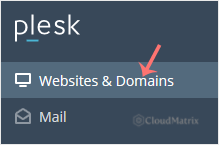
- Click Websites & Domains in the sidebar menu.
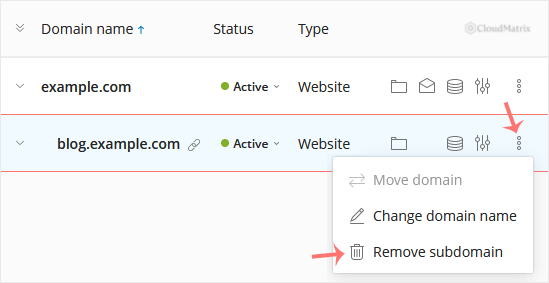
- In the list of Domain names, find the subdomain you want to remove, click the More icon
 next to it, and select Remove Subdomain.
- When Plesk asks you to confirm, click Yes to remove the subdomain.
The subdomain is now removed from your Plesk hosting. If you cannot see the subdomain in the list, or you need help recovering content from one you have already removed, the Noiz support team is available to assist.






