This guide shows you how to add a new domain to your hosting in Plesk, so you can host an additional website alongside the ones you already run. It applies whether the domain is already registered or you want to start building before you own it.
Last reviewed: 27 July 2026, against Plesk Obsidian 18.0 (latest stable). This guide is written for Noiz hosting and is kept current against Plesk. It complements, and does not replace, the official Plesk documentation linked below.
Official Documentation Reference
Prerequisites
- An active Plesk subscription on your Noiz hosting plan, with room in your plan for an additional domain.
- Access to your Plesk login. You reach the panel from your Noiz client area, or at the panel address supplied when your hosting was set up.
- The domain name you want to add. If it is not registered yet, you can still create the site using a temporary domain name and switch to the real one later.
Add a New Domain in Plesk
- Log in to your Plesk panel.
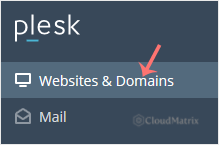
- In the sidebar, click Websites & Domains.
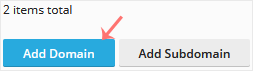
- Click Add Domain.
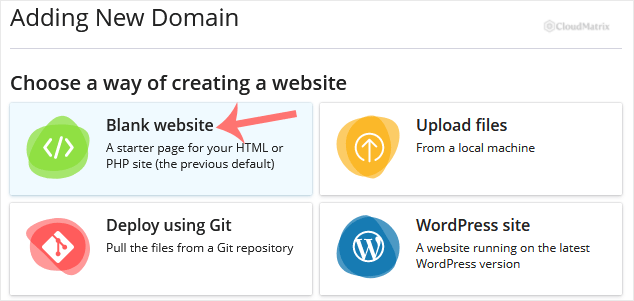
- On the Add a Domain screen, choose Blank Website. This creates an empty document root that you can upload your own files to, or install an application into afterwards.
- Under Adding New Domain, complete the form:
- Select your domain name: choose Registered domain name if you already own the domain. Choose Temporary domain name if you do not own one yet. Plesk then gives you a preview address that you can replace with the real domain later.
- Registered domain name: type your domain, for example
yourdomain.com(replace this with your own). - Hosting type: select Website Hosting. You can leave the remaining DNS and mail options at their defaults.
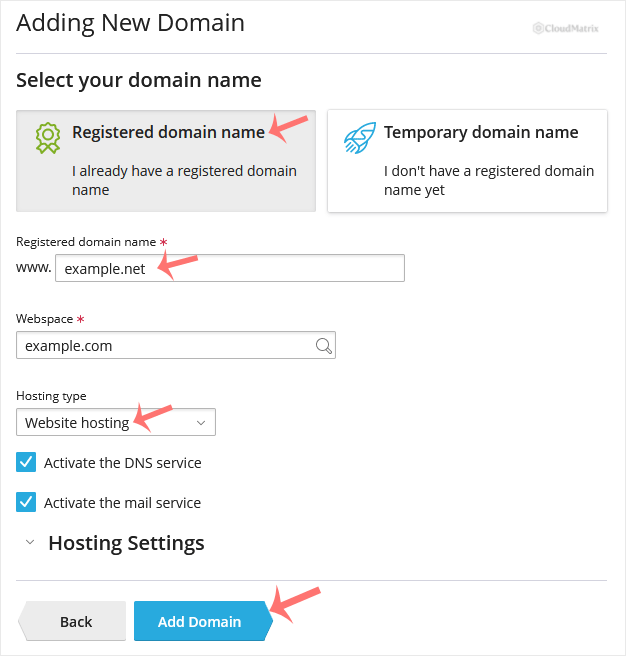
- Click Add Domain.
Plesk creates the domain and returns you to Websites & Domains, where the new domain appears as its own card. From there you can upload files, install applications, create mailboxes and manage DNS.
Make the Domain Resolve
Adding a domain in Plesk sets up the hosting space, but the domain will not load in a browser until its DNS points at Noiz. If you registered the domain elsewhere, set its nameservers to:
ns1.noiz.co.zans2.noiz.co.za
DNS changes can take up to 24 to 48 hours to propagate. Once the domain resolves to the server, you can issue a free SSL certificate for it from the domain's card in Websites & Domains.
Troubleshooting
The Add Domain button is greyed out or missing: your subscription may have reached the number of domains allowed on your plan. Check your plan limits in the Noiz client area, or upgrade to add more.
The domain shows a default or placeholder page: this is normal for a blank website until you add content. Upload your files to the domain's document root, or install an application onto it.
The domain will not load at all: confirm the nameservers are set to ns1.noiz.co.za and ns2.noiz.co.za, and that DNS has had time to propagate.
If you are on a managed Noiz plan, or you would like Noiz to add or configure a domain for you, contact the Noiz support team from your client area and the team will set it up.






