This guide shows you how to remove a Global Email Filter (also called an account-level filter) from your cPanel account. Global filters run against mail for every mailbox on the account, so removing one changes how incoming mail is sorted, forwarded, or discarded for all addresses on the domain, not just a single inbox.
Last reviewed: 27 July 2026, against the current cPanel & WHM interface (Jupiter theme). This guide is written for Noiz hosting and is kept current against cPanel. It complements, and does not replace, the official cPanel documentation linked below.
Official Documentation Reference
Prerequisites
- Access to your cPanel account.
- At least one existing global filter under Current Filters.
Before You Delete
Deleting a filter is immediate and cannot be undone. If the filter routes, forwards, or discards mail, removing it can cause messages that were previously caught to start landing in inboxes again, or the other way round. If you only want to pause a filter temporarily, edit it and note the rule elsewhere first, because cPanel does not keep a copy of a deleted filter.
Global filters differ from per-mailbox filters, which you manage under Email Filters and which affect only one address. Make sure you are deleting from Global Email Filters if you intend the change to apply account-wide.
Delete a Global Email Filter
Step 1: Open Global Email Filters
Log in to your cPanel account. In the Email section, click Global Email Filters.

Step 2: Find the filter to remove
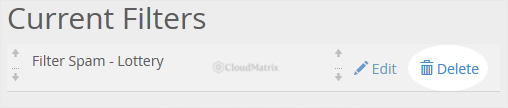
The Current Filters list shows every global filter on the account. Locate the filter you want to remove, then click Delete next to it.
Step 3: Confirm
Click Delete Filter to confirm. The filter is removed straight away and no longer applies to mail arriving at the account.
Need a Hand?
On a Noiz managed plan, you do not have to touch filters yourself. If you are unsure which filter to remove, or a deletion has changed how your mail is delivered, contact Noiz support and the team will sort it out with you.






