cPanel ships with dozens of interface languages. Changing the language sets how the cPanel control panel is displayed for your account, so the section headings, icons, buttons, and menu labels appear in the language you prefer. This guide shows you how to switch it in a few clicks.
Last reviewed: 27 July 2026, against the current cPanel & WHM Jupiter interface (cPanel's default theme). This guide is written for Noiz hosting and is kept current against cPanel. It complements, and does not replace, the official cPanel documentation linked below.
Official Documentation Reference
Change your cPanel account language
- Log in to your cPanel account.
- In the Preferences section, click Change Language.
- Choose the language you want from the drop-down menu, then click Change.
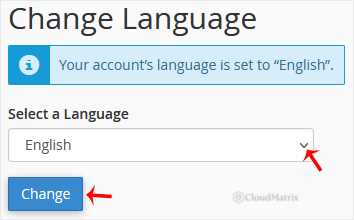
cPanel reloads and the interface is now displayed in the language you selected.
What the language setting does and does not change
It is worth knowing the scope of this setting before you switch, so the result matches what you expect:
- The choice affects only the cPanel interface for your account. It does not translate your website, your emails, or anything your visitors see on your public site.
- Webmail is a separate application with its own language option, set from inside the webmail interface. Changing the cPanel language does not change the webmail language.
- The setting is saved per cPanel user. Any additional users you create under User Manager choose their own language independently, so changing yours does not affect theirs.
- Several languages are community-contributed and may be only partly translated. If a translation is incomplete, some labels can still appear in English until that language pack is finished.
If the language you need is not listed, or the interface still shows English after you switch, the Noiz support team can confirm which language packs are installed on your server and add one if required.






