Your cPanel password is the master password for your hosting account's control panel. If you can still log in to cPanel, you can change it yourself in a few clicks using the Password & Security tool. This guide shows you how, and explains what the change does and does not affect.
Last reviewed: 27 July 2026, against cPanel & WHM's Jupiter interface (latest stable). This guide is written for Noiz hosting and is kept current against cPanel. It complements, and does not replace, the official cPanel documentation linked below.
Official Documentation Reference
Prerequisites
- You can currently log in to your cPanel account.
- You know your current cPanel password. If you have lost it and cannot log in, see Forgot your password? below.
Change Your cPanel Password
- Log in to your cPanel account.
- In the Preferences section, click Password & Security.

- Enter your Old Password.
- Enter your New Password, or click the password generator to create a strong random password. cPanel shows a strength meter and will not accept a password it rates as too weak.
- Click Change your password now.
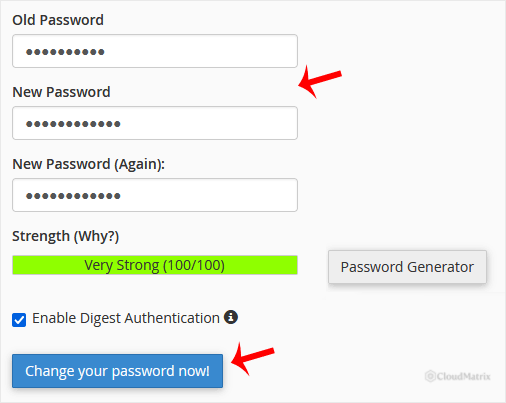
When cPanel displays a success message, your password has been changed. You can log in with the new password straight away. If you used the generator, store the password in a password manager before you leave the page.
What Changing This Password Does and Does Not Affect
The cPanel password protects the control panel itself. Changing it does not change the passwords for:
- Email accounts you have created (managed under Email Accounts).
- FTP accounts (managed under FTP Accounts).
- Databases and database users (managed under MySQL Databases).
Those keep their own passwords and are unaffected. However, if an FTP client, backup job, or deployment tool signs in as the main account, update its saved password after the change or it will start failing to connect.
Forgot Your Password?
If you have forgotten your cPanel password and cannot log in, you cannot reset it from inside cPanel. Open a support ticket from your Noiz client area and the Noiz support team will reset it for you. For security, the reset is confirmed against the account holder on record.






