A partial backup restore lets you roll back a single part of your cPanel account, your home directory, an individual MySQL database, or your email forwarders and filters, without disturbing everything else. This guide shows you how to upload and restore a partial backup file using the Backup Wizard in cPanel.
Restoring a partial backup overwrites the existing data of that type: the current contents are replaced by whatever is in the backup file. Make sure the file you are about to restore is the version you actually want before you start.
Last reviewed: 27 July 2026, against cPanel & WHM's Jupiter interface (latest stable). This guide is written for Noiz hosting and is kept current against cPanel. It complements, and does not replace, the official cPanel documentation linked below.
Official Documentation Reference
Prerequisites
- You can log in to your cPanel account. Noiz sends your login details when your account is set up, and you can also open cPanel from your Noiz client area.
- The partial backup file is saved on your computer. If you do not have one yet, create it first from Backup Wizard » Backup, or from the Backup interface, and download it.
Restore a Partial Backup with the Backup Wizard
- Log in to your cPanel account.
- In the Files section, click Backup Wizard.

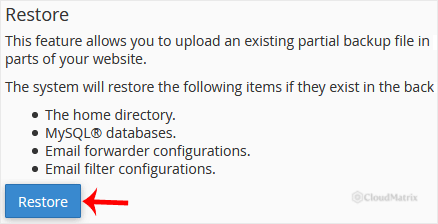
- Under Backup or Restore, click Restore.
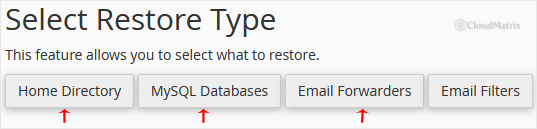
- Under Select Restore Type, choose the component you want to restore: Home Directory, MySQL Databases, or Email Forwarders & Filters.
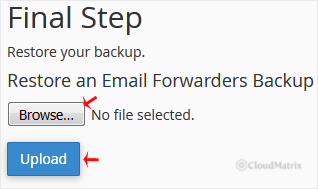
- Click Choose File (some browsers label this Browse), select the matching backup file from your computer, then click Upload. cPanel restores the file and shows a confirmation when it has finished.
Choosing the Right Restore Type
The file you upload has to match the restore type you selected, so the Backup Wizard knows how to unpack it:
- Home Directory restores your website files and folders (everything under your home directory, including
public_html). The file is a gzip-compressed archive, typically named likebackup-yourdomain.com-*.tar.gz. - MySQL Databases restores a single database from a
.sql.gzfile. Restore one database at a time and check the database name matches the one you intend to overwrite. - Email Forwarders & Filters restores your forwarder and filter rules, not the contents of the mailboxes themselves.
Partial Backups Versus Full Backups
The Backup Wizard Restore feature only accepts partial backups, each of which holds one component of your account. A full account backup (the entire cPanel account in a single archive) cannot be restored here, because restoring it is a server-level action. If you need a full-account restore, open a ticket and Noiz will restore it for you.
Troubleshooting
- The upload fails or times out on a large home directory: browser uploads are capped in size. Upload the archive into your home directory with File Manager or FTP first, or contact Noiz to restore it server-side.
- cPanel rejects the file or reports it as invalid: the file does not match the restore type you chose. A database restore needs a MySQL backup file, a home directory restore needs a home directory archive, and so on. Reselect the correct type or the correct file.
- The wrong data was overwritten: restores replace the existing data of that type and cannot be undone from inside cPanel. If you have an earlier backup, restore that; otherwise contact Noiz as soon as possible.
Not sure which backup to restore, or need a full-account restore that the Backup Wizard cannot handle? Open a ticket from your Noiz client area and the support team will take care of the restore for you.






